

具体描述
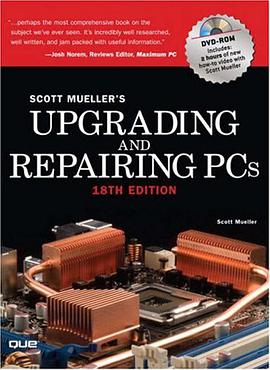
"...perhaps the most comprehensive book on the subject we've ever seen. It's incredibly well researched, well written, and jam packed with useful information." --Josh Norem, Reviews Editor, Maximum PC Upgrading and Repairing PCs is the definitive guide to the inner workings of your PC. Whether you're adding a faster processor or bigger hard drive, tracking down a problem, or just want to understand how the components of your computer work together, this book explains everything you need to know. Trust the one book that has become the de facto standard among PC professionals and enthusiasts around the world. World-renowned PC hardware expert Scott Mueller has taught thousands in his week-long seminars and millions through his books, videos, and magazine articles. Major changes in the PC hardware industry--including coverage of new Core 2 processors from Intel, Socket AM2 processors from AMD, and significant advances in motherboard chipsets, Blu-ray, and HD-DVD--make Upgrading and Repairing PCs, 18th Edition, an indispensable addition to every serious computer user's bookshelf...that is, if it ever leaves their desks. Readers from around the world trust their computers to Scott. Upgrading and Repairing PCs is found on the desks of teachers, students, hobbyists, repair technicians, and even law enforcement agencies that use this book to aid them in tracking criminals. New in This Book *Deep coverage of the new Core 2 (8th gen or "886") processors, featuring the new "Core Microarchitecture" *Cutting edge coverage of quad-core desktop (Kentsfield) processor versions *Detailed coverage of AMD's Socket AM2 processors *Coverage of evolutionary changes in chipsets, including new versions of Intel's 9xx series chipsets and new 3x series Intel chipsets; coverage of new chipsets from Nvidia, VIA, and SiS has also been added *Coverage of the new DTX and Mini-DTX motherboard form factors from the newly formed alliance between AMD and ATI *Beefed-up coverage of Blu-ray and HD-DVD drives/players *Extensive coverage of new GPUs in addition to heavy-duty coverage of SLI and Crossfire *Building a PC from scratch--from assembling the hardware to BIOS setup and installing Microsoft Windows XP or Vista On the DVD DVD contains 2 hours of all new, studio-quality video--playable in your set-top DVD player and your computer! Scott digs deep into networking, showing all the components needed to build a SOHO (Small Office Home Office) network. Coverage includes network adapters, routers, switches, access points, cable/DSL modems, and cabling. Upgrading an existing network to gigabit speeds is also covered, as well as the latest wireless network technology. The DVD also contains a previously published edition of the book as well as technical reference material, a glossary, and an acronym index. Whether you're building a hot new PC for home or work, or nursing an aging and ailing PC back to health, these materials prove to be worth their weight in gold to the serious PC technician or hobbyist. www.upgradingandrepairingpcs.com If you don't have a DVD player or only have a set-top DVD, visit www.upgradingandrepairingpcs.com to download all the video from the DVD in Windows Media Player format as well as the PDFs and other materials on the DVD! Plus, check out monthly articles, FAQs, and video from earlier editions you might have missed! Introduction 1 1 Development of the PC 7 2 PC Components, Features and System Design 25 3 Microprocessor Types and Specifications 39 4 Motherboards and Buses 235 5 BIOS 441 6 Memory 509 7 The ATA/IDE Interface 581 8 Magnetic Storage Principles 637 9 Hard Disk Storage 663 10 Removable Storage 707 11 Optical Storage 747 12 Physical Drive Installation and Configuration 851 13 Video Hardware 885 14 Audio Hardware 987 15 I/O Interfaces from Serial and Parallel to IEEE-1394 and USB 1025 16 Input Devices 1059 17 Internet Connectivity 1103 18 Local Area Networking 1151 19 Power Supplies 1207 20 Building or Upgrading Systems 1295 21 PC Mods: Overclocking and Cooling 1335 22 PC Diagnostics, Testing and Maintenance 1367 ON THE DVD: A Glossary B List of Acronyms and Abbreviations
作者简介
目录信息
读后感
评分
评分
评分
评分
用户评价
这本书给我最深刻的印象,在于它对“硬件升级”这个概念的重新定义。我一直以为升级就是换最新的显卡,或者加最大的内存条,但《Upgrading and Repairing PCs》却拓展了我的视野。它详细介绍了如何通过优化软件设置、清理电脑内部灰尘、更换老化的电源供应器,甚至仅仅是重新安装操作系统,来大幅提升电脑的运行速度和稳定性。这些内容可能不像更换CPU那样“酷炫”,但其带来的实际效果,有时甚至比更换硬件更加立竿见影。 我尤其喜欢书中关于“预防性维护”的章节。它并没有把重点放在“修”上,而是强调“不修”的重要性。通过定期的清理、检查,以及对系统进行合理的优化,可以有效地延长电脑的使用寿命,减少出现故障的概率。这让我想起了汽车保养,平时的小心呵护,远比等到出了大问题再去修理要省钱省力得多。书里还列举了一些常见的老化部件,比如风扇、电容等,以及它们可能带来的影响,这让我对电脑的“健康状况”有了更直观的认识,也学会了如何提前预防。
评分说实话,我一开始对《Upgrading and Repairing PCs》抱有很高的期待,希望能从中找到关于如何为游戏电脑挑选最强显卡,或者组装一台能跑最复杂3D建模软件的超级工作站的秘籍。然而,这本书的内容却更侧重于“维修”的艺术,而非“升级”的极致追求。它就像一位慈祥的长辈,在告诉你如何呵护你手中的老伙计,让它继续为你服务,而不是鼓励你不断攀比最新的硬件。 书中大量篇幅都在探讨如何诊断和解决各种电脑故障,从最常见的蓝屏死机,到一些令人抓狂的硬件冲突。它并没有罗列所有可能出现的错误代码,而是提供了一套逻辑严谨的排查流程,让你一步步缩小问题范围。我发现,很多时候,问题的根源并非是某个昂贵的部件坏了,而是由于一些小小的疏忽,比如驱动程序冲突、后台运行的软件过多,或者是简单的连接松动。这本书教会我的,是如何像侦探一样,冷静地分析线索,最终找到问题的本质。
评分我最近入手了一本名为《Upgrading and Repairing PCs》的书,虽然书名听起来像是要深入剖析电脑硬件的内部运作,但实际阅读体验却让我感到一丝意外和惊喜。这本书并没有像我预期的那样,直接进入各种芯片的型号对比或是主板的详细走线图,反而将重点放在了“升级”和“维修”这两个更宏观的层面。一开始,我以为会看到很多关于显卡插槽类型、内存频率兼容性这些技术细节,但它更像是一位经验丰富的技师,在向你娓娓道来他处理过的各种疑难杂症,以及如何通过巧妙的组合和替换来让旧电脑焕发新生。 它并没有直接告诉你“把这个换成那个”,而是通过一系列案例分析,让你理解为什么在某些情况下,升级某个部件会带来如此显著的性能提升,又或者在另一些情况下,看似昂贵的升级反而收效甚微。这种“授人以渔”的方式,让我逐渐摆脱了对具体硬件型号的迷信,而是开始思考整个系统的瓶颈所在,以及如何根据自己的实际需求,做出最经济有效的选择。书中还提到了一些关于诊断问题的通用方法论,比如如何通过声音、指示灯来初步判断故障,这比我之前直接搜索“电脑开不了机怎么办”要系统得多。它教会我的是一种解决问题的思维方式,而不是死记硬背一堆参数。
评分坦白说,《Upgrading and Repairing PCs》这本书并没有完全满足我最初对于“深度硬件解析”的期望,但它却给了我意想不到的“实用性”回报。我原本以为它会是一本冰冷的工具书,充斥着各种技术术语和专业图表,但实际上,它更像是一本充满智慧的“电脑医生手册”。它并没有直接告诉你如何更换显卡,而是教会你如何识别显卡可能出现的问题,以及在什么情况下,更换显卡才是真正必要的。 我印象深刻的是书中关于“软硬件协同优化”的部分。它并没有孤立地看待硬件,而是强调了操作系统、驱动程序与硬件之间的相互影响。比如,如何通过调整电源管理设置来延长笔记本电脑的续航,又或者如何通过卸载不必要的后台程序来释放CPU资源,这些都是非常实用的技巧。这本书让我意识到,电脑的性能并非仅仅取决于硬件的堆砌,更在于各个组件之间的默契配合。它让我从一个“硬件发烧友”的心态,转变为一个更懂得“系统调优”的理性用户。
评分《Upgrading and Repairing PCs》这本书,与其说是一本技术手册,不如说是一部关于“电脑生命周期管理”的指南。它没有给我提供一堆让人眼花缭乱的硬件参数表,也没有详细到拆解每一个螺丝的教程。反而,它用一种非常接地气的方式,让我理解了电脑硬件的“易损性”和“可修复性”。我曾以为,一旦电脑出现问题,唯一的选择就是高价维修或者直接更换,但这本书让我意识到,很多时候,我们都可以自己动手,将“报废”边缘的电脑重新拉回正轨。 它让我明白,并非所有的“升级”都意味着购买最新最贵的硬件。有时,仅仅是清理主板上的灰尘,更换一个静音效果更好的CPU散热器,或者为老旧的硬盘更换一个固态硬盘,就能带来惊人的性能飞跃。书中还探讨了一些关于“二手硬件”的评估和利用,这对于预算有限的用户来说,无疑是一份宝贵的参考。它教会我如何审慎地评估硬件的价值,以及如何通过合理的搭配,最大化每一分钱的效益。
评分 评分 评分 评分 评分相关图书


















本站所有内容均为互联网搜索引擎提供的公开搜索信息,本站不存储任何数据与内容,任何内容与数据均与本站无关,如有需要请联系相关搜索引擎包括但不限于百度,google,bing,sogou 等
© 2026 book.quotespace.org All Rights Reserved. 小美书屋 版权所有